
REST API Design Made Simple with Express.js

I’m a Computer Science student learning web development by building real projects and writing about what I learn along the way. I enjoy breaking down core web concepts like HTML, CSS, networking, and browser internals in a simple, beginner-friendly way. Currently exploring frontend development, backend basics, and how the web works behind the scenes. I believe consistency beats perfection, and learning gets easier when you explain things in your own words.
Introduction
APIs allow different applications to communicate with each other. In web development, a REST API is one of the most common ways to build this communication between a client (like a browser or mobile app) and a server.
In this guide, you will learn how REST APIs work and how to design clean, practical endpoints using Express.js.
What is a REST API?
REST (Representational State Transfer) is an architectural style for designing networked applications.
A REST API:
Uses HTTP protocols
Works with resources (data entities)
Follows a stateless request-response model
In simple terms:
A client sends a request → Server processes it → Server sends a response
Understanding Resources in REST
In REST, everything is treated as a resource.
Examples:
Users
Products
Orders
Each resource is identified by a URL.
Example
/users
/users/1
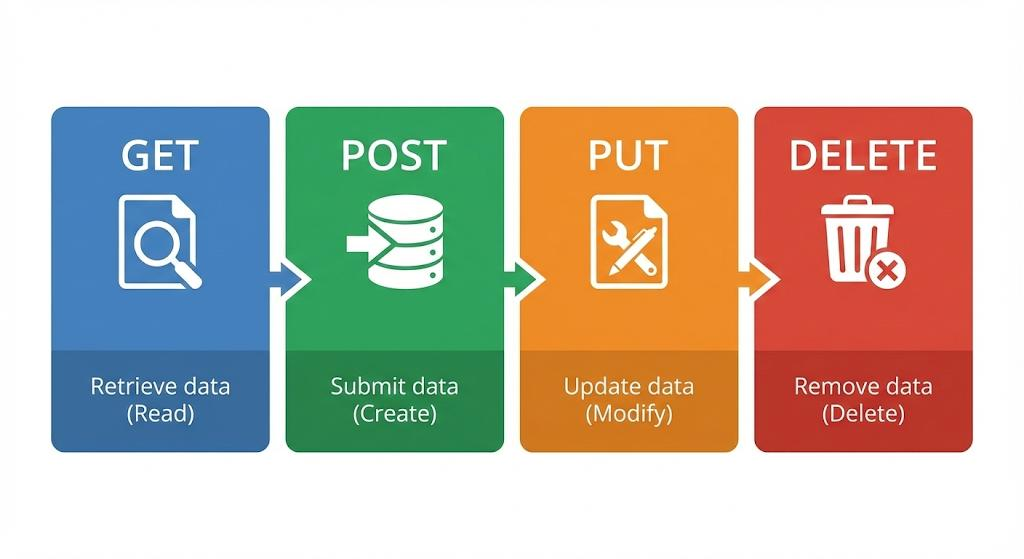
HTTP Methods (CRUD Operations)
REST APIs use HTTP methods to perform operations on resources.

| Operation | HTTP Method | Description |
|---|---|---|
| Create | POST | Add new data |
| Read | GET | Fetch data |
| Update | PUT | Modify data |
| Delete | DELETE | Remove data |
CRUD vs HTTP Mapping (Concept)
POST   → Create
GET    → Read
PUT    → Update
DELETE → Delete
Setting Up Express.js
const express = require("express");
const app = express();

app.use(express.json());

app.listen(3000, () => {
  console.log("Server running on port 3000");
});
Designing Routes (Users Example)
We will use a simple resource: users
Sample Data
let users = [
  { id: 1, name: "Aman" },
  { id: 2, name: "Riya" }
];
GET: Fetch All Users
app.get("/users", (req, res) => {
  res.status(200).json(users);
});
GET: Fetch Single User
app.get("/users/:id", (req, res) => {
  const user = users.find(u => u.id == req.params.id);

  if (!user) {
    return res.status(404).json({ message: "User not found" });
  }

  res.status(200).json(user);
});
POST: Create User
app.post("/users", (req, res) => {
  const newUser = {
    id: users.length + 1,
    name: req.body.name
  };

  users.push(newUser);
  res.status(201).json(newUser);
});
PUT: Update User
app.put("/users/:id", (req, res) => {
  const user = users.find(u => u.id == req.params.id);

  if (!user) {
    return res.status(404).json({ message: "User not found" });
  }

  user.name = req.body.name;
  res.status(200).json(user);
});
DELETE: Remove User
app.delete("/users/:id", (req, res) => {
  users = users.filter(u => u.id != req.params.id);
  res.status(200).json({ message: "User deleted" });
});
Status Codes Basics
Status codes indicate the result of a request.
| Code | Meaning |
|---|---|
| 200 | OK |
| 201 | Created |
| 400 | Bad Request |
| 404 | Not Found |
| 500 | Server Error |
REST Request-Response Flow
Client → HTTP Request → Server → Process → HTTP Response → Client
Clean Route Design Tips
Use nouns, not verbs (
/users, not/getUsers)Keep routes consistent
Use plural names for resources
Use proper HTTP methods instead of custom actions
Why REST APIs Matter
Enable communication between frontend and backend
Used in web and mobile apps
Standardized and widely adopted
Key Takeaways
REST APIs use resources and HTTP methods
CRUD maps directly to HTTP methods
Express makes it easy to build APIs
Proper route design improves clarity
Status codes help communicate results
Conclusion
REST APIs provide a simple and standardized way to build scalable backend systems. By following REST principles and using Express.js, you can design clean and maintainable APIs for real-world applications.
Final Tip
Start with one resource (like users), design clean routes, and expand gradually. Simplicity and consistency are the keys to good API design.